How to Plan a Studio Content Day in Miami: Timeline + Shot List
A studio content day is one booking where you plan photos and video together in a single session instead of scrambling shot by shot. To plan one: set your goals, build a shot list by look and set, book your studio time, and run each set back to back. Plan the session around the formats you need, the time available and any editing work afterward.
The hard part is not the camera. It is the plan. Most content days go sideways for the same three reasons: no shot list, so you freeze up halfway through; one backdrop, so everything looks like it was shot in the same corner; and not enough time, so you rush the back half. This guide offers a suggested timeline, a shot list you can adapt, and a way to plan your priorities.
Key takeaways
- Plan priority photos and clips first, then allow time for setup, changes and retakes.
- Bring two to three outfits and swap every 30 to 45 minutes. Each change plus a new set reads as a new day to your audience.
- Use a shot list to organize your priorities and keep track of the shots you still need.
- Multiple styled sets are the real advantage. Rotating sets means your batch does not all look the same, and there is no reset time between looks.
- Rent the studio from $110/hr and run it yourself, or book the in-house photographer in a package from $350 and just show up to shoot.
- Plan it right and the only thing you do on shoot day is shoot.
What a content day is, and why creators batch
A content day trades six scattered one-hour sessions for one focused block. The case for it is simple. You set the lighting and the look once and reuse them across many shots, so the quality stays consistent instead of drifting session to session. Use your posting calendar to decide which shots to prioritize, and account for editing time after the session.
The thing that makes a content day actually work is variety in one place. If you shoot every look against the same wall, your feed looks like it was made in one afternoon, because it was. A studio with several styled sets and a cyclorama lets you move from a clean white background to a living-room set to a colored wall in minutes, so a single booking produces content that reads like it came from different days and places.

How long should you book?
Use three to four hours as a starting point for planning, then adjust for your shot list, set changes, setup and touch-ups. The table suggests priorities for different rental lengths; it does not specify included photos or clips.
| Session | Weekday rate | Suggested focus | Possible use |
|---|---|---|---|
| 1 hour | $110 | Priority photos or a short clip | A quick refresh or headshot update |
| 2 hours | $220 | Priority photos, then clips if time allows | A solo creator’s shot list |
| 3 hours | $320 | Plan time for photos, short video and b-roll | A mix of feed and video formats |
| 4 hours | $410 | Plan additional looks or product setups | A brand campaign or team day |
Rates shown are weekday; weekends run a little higher. If you would rather not run the camera, the in-house photographer packages cover photos for $350 to $1,250. Contact the studio for project-specific video production pricing. See the full breakdown on the rates page.
A suggested content day timeline
Use this suggested three-hour schedule as a planning template. Adjust the looks, setup time and priorities to suit your session.
| Time | What happens | For |
|---|---|---|
| 0:00 to 0:15 | Arrive, unload, walk the sets, hang outfits in order | Setup |
| 0:15 to 0:45 | Touch-up, then Look 1 on Set 1, hero photos | Feed |
| 0:45 to 1:10 | Video clips for Look 1, several takes | Reels and TikTok |
| 1:10 to 1:25 | Outfit change and touch-up | Reset |
| 1:25 to 1:55 | Look 2 on Set 2 or the cyclorama, wide and close | Feed and LinkedIn |
| 1:55 to 2:25 | B-roll run: hands, details, product, movement | UGC and Stories |
| 2:25 to 2:45 | Look 3 if you packed it, plus any pickups you missed | Story and carousel |
| 2:45 to 3:00 | Review against the shot list, confirm you got it, wrap | Wrap |
Stretch the same rhythm to four or six hours by adding sets and looks. The rule that matters: finish every shot on your list for one set before you move to the next, because tearing down and coming back is the most expensive mistake on a content day.

Your shot list, ready to copy
The shot list is the single thing that separates a productive day from a wasted one. It is also the cure for the most common content-day fear, freezing up and running out of ideas halfway through. Build it from your posting calendar: count the posts you need for the next four to six weeks, then group them by format and assign each to a set and a look. Use the shot counts below as suggested planning targets, not included deliverables or a forecast of finished content. Adjust them to your priorities and booked time.
| Platform | Format | Shots to get | Note |
|---|---|---|---|
| Instagram feed | Square and portrait | 10 to 15 per look | Mix close crop, three-quarter, and full length |
| Reels and TikTok | Vertical video | 3 to 5 clips, 5 to 15 seconds | Get a walk-in, a to-camera, and a demo |
| Portrait | 3 to 5 headshots and a few candids | Neutral set or the cyclorama | |
| UGC and brand | Mixed photo and video | Product in hand, three takes each | Shoot to the brand brief |
| B-roll | Any | 10 to 15 short clips | Hands, details, motion, the ones people forget |
Shoot a little wider than you think you need on every frame, so one capture crops cleanly to square, portrait, and vertical. Those text-friendly frames with empty space around the subject are the ones creators consistently forget and wish they had for carousels and quotes.
Outfits and looks
Plan two to three outfits for a half-day, more for a full day, and have each one fully styled before you arrive, shoes and accessories included, so a change takes under ten minutes. The trick is pairing each look to a set so they read as different days. A bright outfit pops on a clean white cyclorama, a darker look suits the arch wall, and a casual fit feels right on a lifestyle set. Same booking, completely different posts. Lay the outfits out in shooting order and label them by set so you are never digging through a rack mid-session.
How many posts can you actually walk out with?
Start with the content you need and distinguish studio rental from a photography package. A rental reserves studio time; it does not include a fixed number of finished photos, clips or posts. Plan the shots you need, then allow time for selection and editing before scheduling posts. If you book a photography package, use that package’s stated edited-photo count rather than estimating deliverables from rental hours. Bring your shot list and prioritize the shots that matter most before adding optional ideas.
Sets, the cyclorama, and the glam station
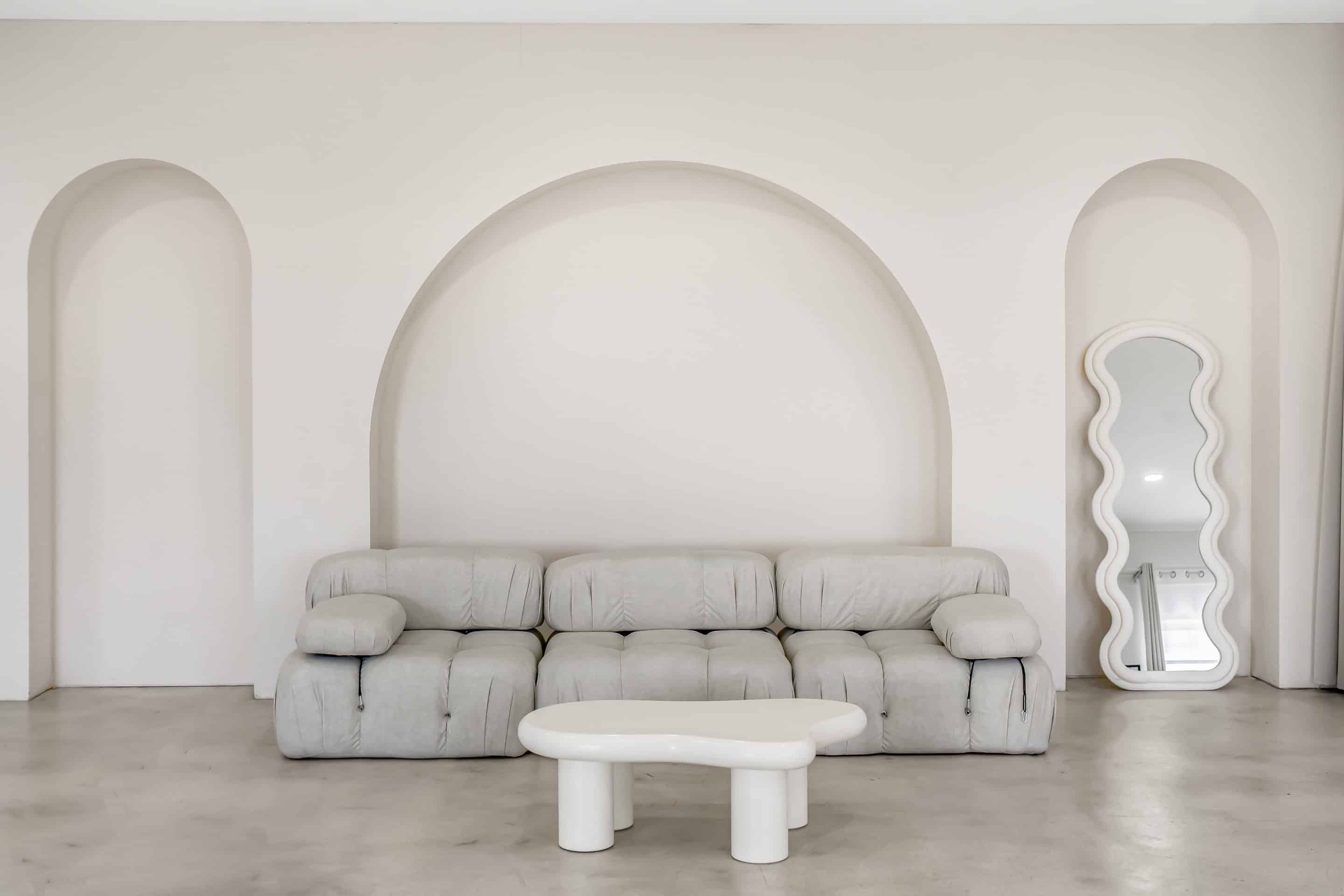
This is where the studio does the heavy lifting. Eight sets in total, including a 25 by 20 foot cyclorama, mean you rotate looks without building or tearing down anything, which removes the biggest time cost in any content day. The cyclorama gives you a clean, seamless background in white or any color for crisp feed shots and for video. The styled sets stand in for real rooms so your lifestyle content has context. The glam station lets you fix hair and makeup between looks on site, instead of losing the shoot to a bathroom mirror. You bring products, outfits, and a shot list. The lighting, backdrops, and props are already here. See the space in the studio gallery.

Rent the studio, or book the photographer
Two ways to run your content day, depending on whether you want to hold the camera.
Rent the studio, from $110/hr. You run the day, with your own gear or your own photographer. The whole space, the sets, the cyclorama, the glam station, and the props are yours for the booking. Best for creators and teams who shoot their own content and come in with a clear shot list. This is also the answer to the creator who has felt a hired shooter take over and produce photos that did not feel like them. Here, every frame is yours.
Book the in-house photographer, packages from $350. You show up, direct the looks, and shoot, while someone who knows the space and the lighting keeps the day on the timeline. Best for founders and personal brands who do not shoot, and for first-timers who do not want to risk burning the booking figuring out the camera. Either path uses the same studio and the same sets, and both include free parking.
The simple rule: if you know how to run a shoot and have your gear, rent the space and bring your list. If you would like us to photograph the session, book the photographer; edited photos from individual sessions are delivered in two weeks. Compare both on the rates page, or see how the studio is set up for content creators and influencers.
Do not waste the booking
A content day only pays off with a plan. The mistakes that cost creators the most are the avoidable ones. Shoot your offer, not just your vibe: it is easy to leave with beautiful photos and zero shots of the product or service you actually sell, so put those on the list first. Come in with the look done, the gear packed the night before, and your captions roughly mapped, so the studio time is only shooting. And book enough time, because rushing the last hour is where the content you needed most gets skipped. Plan the shots around where you intend to use them, then leave time for selection and editing.
Why a content day works in Miami
Shooting indoors is especially smart here. From June through October, afternoon storms roll in most days, and the heat and humidity wilt hair and makeup within minutes outdoors, which is brutal across a multi-look day. A climate-controlled studio removes the weather as a variable entirely, and at 24/7 access you can batch early, late, or on a deadline. The studio sits in Glenvar Heights, central Miami-Dade, a short drive from every Miami neighborhood, with free on-site parking, so you are not hauling outfits and props through a paid garage or fighting Wynwood traffic before you have shot a frame. For batching tools and posting cadence, guides like Buffer's content batching breakdown pair well with a studio day.
Frequently asked questions
What is a studio content day?
A studio content day is a scheduled session for planned photos and video. Organize your looks, sets and formats in advance, and allow time afterward for selection, editing and scheduling.
How long should a content day be?
Use three to four hours as a starting point for planning, then adjust for your shot list, set changes and setup. Include time for wardrobe changes and retakes rather than treating the schedule as an output guarantee.
How many posts can you batch in one content day?
Studio rental reserves time, not a fixed number of posts. Plan the photos and clips you need, then account for selection and editing. Photography packages have their own stated edited-photo counts; those are separate from rental hours.
How many outfits should I bring?
Plan one outfit per set or backdrop, so a three-set day means three to four outfits and a longer day means five to seven. Style each look fully before you arrive, including shoes and accessories, so changes take under ten minutes.
What should I bring to a content day?
Bring your shot list organized by set and look, outfits on hangers labeled by set, matching shoes and accessories, any props or products grouped in a bag, and a charged phone or tablet to review shots. The studio supplies the backdrops, lighting, sets, and a props library.
Do I need my own photographer?
No. You can rent the studio from $110 an hour and shoot yourself or bring your own photographer, or book a package from $350 and the in-house photographer runs the session. The space and sets are the same on both paths.
Can I shoot photo and video in the same session?
You can plan both photos and video in the same session. Prioritize the shots for each look and allow time for changes and retakes. Studio rental and photography packages are different options; contact us for project-specific video production pricing.
How much does a content day cost in Miami?
Studio rental starts at $110 an hour on weekdays and $130 on weekends, so a four-hour day runs about $410 on weekdays or $500 on weekends for the space, all-inclusive. If you want the photographer included, photo packages run from $350 to $1,250. Contact the studio for project-specific video production pricing. Use your shot list and editing needs to plan your budget.
How far in advance should I book?
For a weekday session, often a few days is enough. Weekends and busy seasons fill faster, so a week or two of notice is safer. Booking earlier also gives you time to finalize your shot list and looks, which is what makes the day pay off.
Ready to plan your content day?
Check availability and book your session, or compare hourly rates and photographer packages on the rates page. Creative Canvas Photo Studio Miami is a private 3,000 sq ft studio in Glenvar Heights with eight sets in total (including a 25 by 20 foot cyclorama), a glam station, professional lighting, and free parking, rated 5.0 across 300+ reviews. Bring your shot list and put your priorities first.
Book Your Studio Session
Rent the private 3,000 sq ft studio and its 25x20 cyclorama wall from $110/hr, or book a Photoshoot Package and our in-house photographer shoots it for you, from $350. Free parking, open 24/7, central to every Miami neighborhood.